
Download Learn Dinosaurs – educational flash‑card app for kids and dinosaur fans
Overview
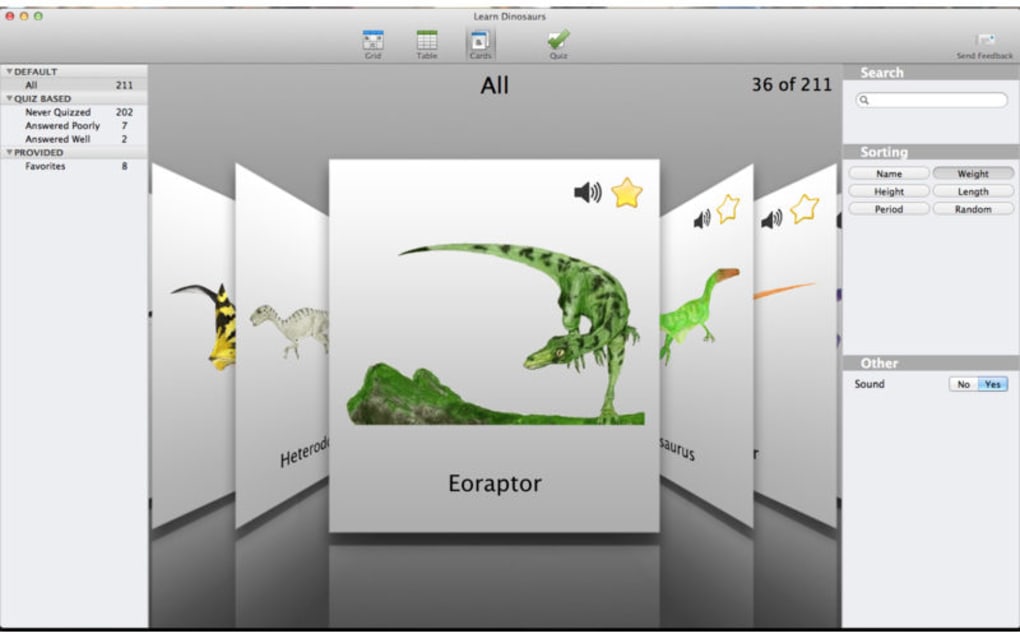
Learn Dinosaurs is a colourful, kid‑friendly flash‑card app that turns the prehistoric world into an interactive learning experience. Designed for curious minds of all ages, the app presents vivid illustrations of more than 150 dinosaurs, each paired with essential stats such as average height, weight, era, and a fun fact about the meaning of its name. Whether you’re a parent looking for an educational tool, a teacher seeking classroom resources, or a dinosaur enthusiast eager to expand your knowledge, Learn Dinosaurs offers a secure, free‑to‑download platform that encourages exploration through visual storytelling.
The intuitive search function lets you locate a favorite dinosaur in seconds, while the “flip‑through” mode allows casual browsing, making the app ideal for both structured study sessions and spontaneous discovery. Its lightweight design ensures fast loading on Windows, Mac, Android, and iOS devices, and regular updates keep the database fresh with the latest paleontological findings. By combining the joy of collecting cards with the power of a searchable database, Learn Dinosaurs provides a unique blend of entertainment and education, turning every swipe into a mini‑lecture about Earth’s ancient giants.
Key Features
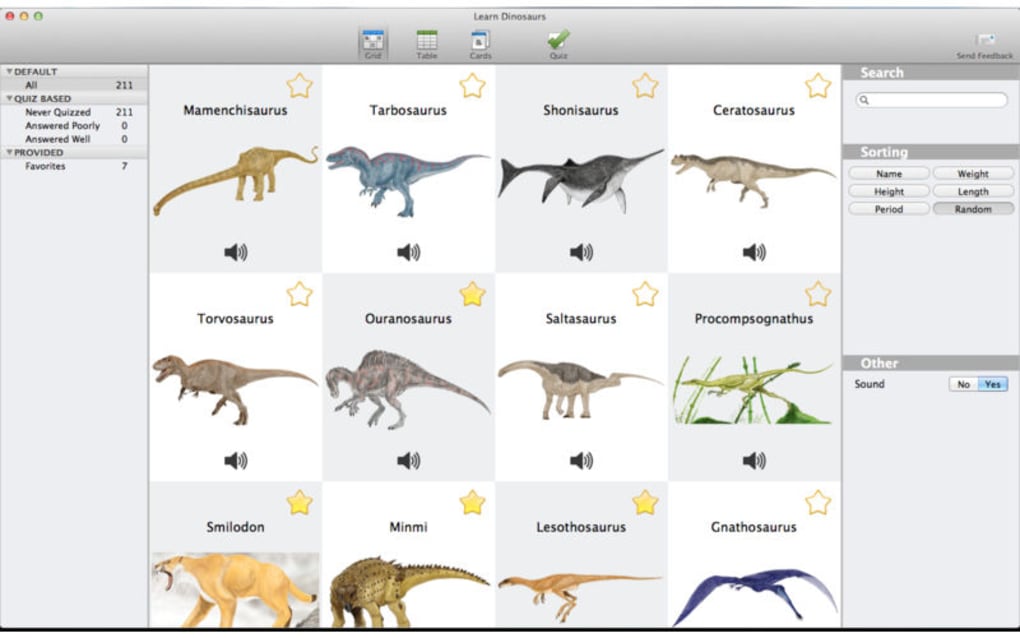
- Extensive Dinosaur Library: Over 150 species, from the towering Argentinosaurus to the swift Velociraptor, each rendered in high‑resolution artwork.
- Statistical Snapshot: Height, weight, period, diet, and a short description appear on every card for quick reference.
- Meaning of the Name: Learn the etymology behind each dinosaur’s scientific name, adding a linguistic twist to the learning process.
- Powerful Search Engine: Type keywords or filter by era, size, or diet to instantly locate the dinosaur you want to explore.
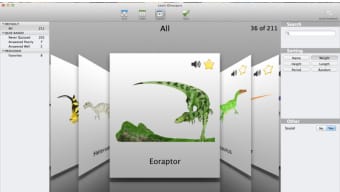
- Flip‑Through Mode: Swipe left or right to browse cards like a physical collection, perfect for casual learning or classroom activities.
- Bookmark & Favorites: Save your most intriguing dinosaurs for easy access later, allowing personalized study paths.
- Regular Content Updates: New species and facts are added monthly, ensuring the app stays current with scientific discoveries.
- Offline Access: Once downloaded, the entire card set is available without an internet connection, making it ideal for road trips or classrooms with limited Wi‑Fi.
- Secure & Ad‑Free Experience: The free version is completely ad‑free, providing a distraction‑free environment for learners.
- Multi‑Platform Sync: Your bookmarks sync across Windows, Mac, Android, and iOS, so you can continue learning wherever you are.
Installation & Usage Guide
Step‑by‑Step Installation
Downloading Learn Dinosaurs is straightforward. Visit the official website or your device’s app store (Google Play for Android, App Store for iOS, Microsoft Store for Windows, or Mac App Store for macOS). Click the Download button, and the installer will appear. For desktop versions, run the .exe (Windows) or .dmg (Mac) file and follow the on‑screen prompts. Mobile users simply tap “Install.” The app’s size is under 80 MB, ensuring a quick download even on slower connections.
First‑Run Setup
Upon launching the app, you’ll be greeted with a short welcome tutorial that explains navigation, search functions, and how to flip cards. The tutorial is optional and can be revisited later via the Settings menu. You’ll be prompted to create a free account or continue as a guest. Creating an account enables bookmark syncing across devices and prepares you for future premium features, though the free version already offers a robust learning experience.
Daily Use Tips
Start by exploring the “Featured Dinosaurs” carousel on the home screen, which highlights popular or newly added species. Use the search bar at the top to type in a name or filter criteria (e.g., “Cretaceous carnivore”). When you find a card you like, tap it to view detailed stats, then swipe left or right to move to the next card. The “Favorites” tab stores any cards you bookmark, allowing you to create custom study sets. For educators, the “Classroom Mode” lets you project cards onto a smartboard while students follow along on their own devices, fostering interactive group learning.
Keeping the App Updated
Learn Dinosaurs checks for updates automatically once a week. When a new version is available, you’ll receive a secure notification prompting you to download the update. Updates typically include new dinosaur entries, bug fixes, and performance improvements. Keeping the app current ensures you benefit from the latest scientific data and the smoothest user experience.
Compatibility, Pros & Cons
Supported Operating Systems
Learn Dinosaurs runs natively on Windows 10/11, macOS 10.14 or later, Android 6.0 and above, and iOS 12 or later. The app is optimized for both tablets and smartphones, with responsive layouts that adjust to screen size. Minimum hardware requirements are modest: 2 GB RAM and 200 MB of free storage, making it suitable for older devices while still delivering crisp graphics on newer hardware.
Pros
- Engaging Visuals: Bright, high‑resolution artwork keeps children interested.
- Educational Depth: Detailed stats and name meanings provide more than superficial facts.
- Free & Ad‑Free: No hidden fees or disruptive advertisements.
- Cross‑Platform Sync: Bookmarks travel with you across Windows, Mac, Android, and iOS.
- Offline Capability: Entire database accessible without internet.
- Regular Content Updates: New dinosaurs added monthly keep the app fresh.
Cons
- Limited Audio Narration: Currently no spoken descriptions for visually impaired users.
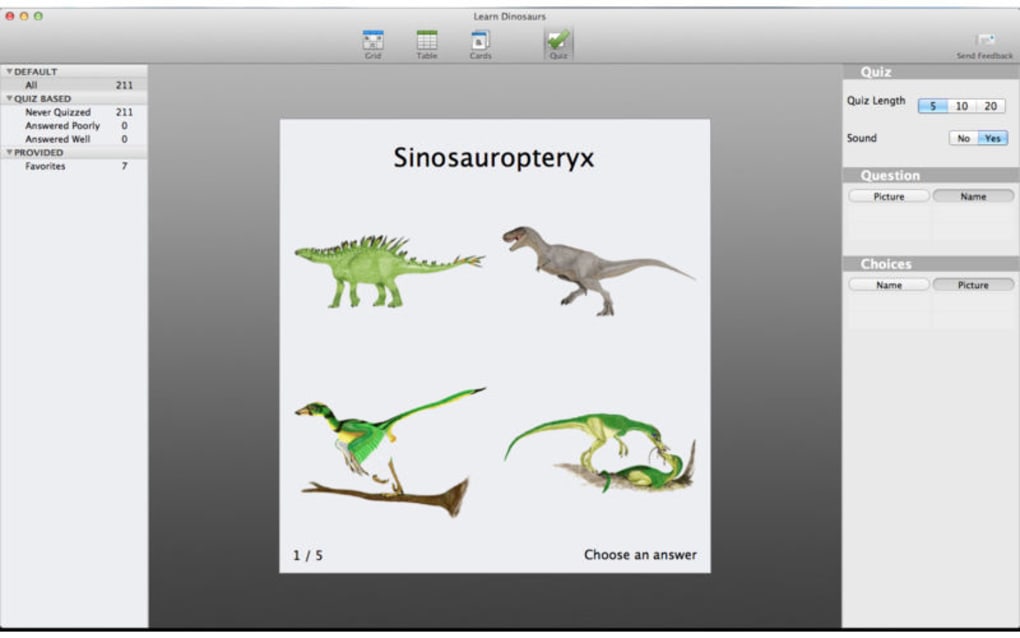
- No Built‑In Quiz Mode: Users looking for interactive testing must rely on external tools.
- Premium Features Locked: Advanced classroom analytics are reserved for paid plans.
Review Summary: Learn Dinosaurs offers a delightful blend of visual appeal and factual depth that makes learning about prehistoric life both fun and informative. While it could benefit from added audio narration and interactive quizzes, its free, ad‑free experience and cross‑platform sync set it apart as a top‑tier educational tool.
FAQ & Conclusion
Is Learn Dinosaurs truly free or are there hidden costs?
The core app is completely free and ad‑free. All dinosaur cards, stats, and basic features are available without payment. Optional premium upgrades, such as advanced classroom analytics, are offered as a subscription but are not required for standard use.
Can I use Learn Dinosaurs without an internet connection?
Yes. After the initial download, the entire dinosaur database is stored locally on your device, allowing offline browsing and study.
How often is new content added to the app?
The development team releases new dinosaur cards and fact updates monthly, ensuring the app reflects the latest scientific discoveries.
Is the app safe for children under 10?
Absolutely. Learn Dinosaurs complies with COPPA and GDPR‑Kids standards, does not collect personal data without parental consent, and contains no third‑party ads or in‑app purchases for the free version.
Does Learn Dinosaurs support multiple languages?
Currently, the app is available in English, Spanish, and French, with additional languages planned for future releases.
Conclusion – Start Your Prehistoric Adventure Today
Learn Dinosaurs delivers an engaging, secure, and free educational experience that brings the ancient world right to your fingertips. Its vibrant flash‑cards, searchable database, and cross‑platform sync make it an ideal tool for parents, teachers, and dinosaur enthusiasts alike. By downloading this app, you empower young minds to explore, memorize, and appreciate the giants that once roamed our planet. Don’t wait – download Learn Dinosaurs now and turn every swipe into a thrilling lesson about Earth’s most fascinating creatures.







